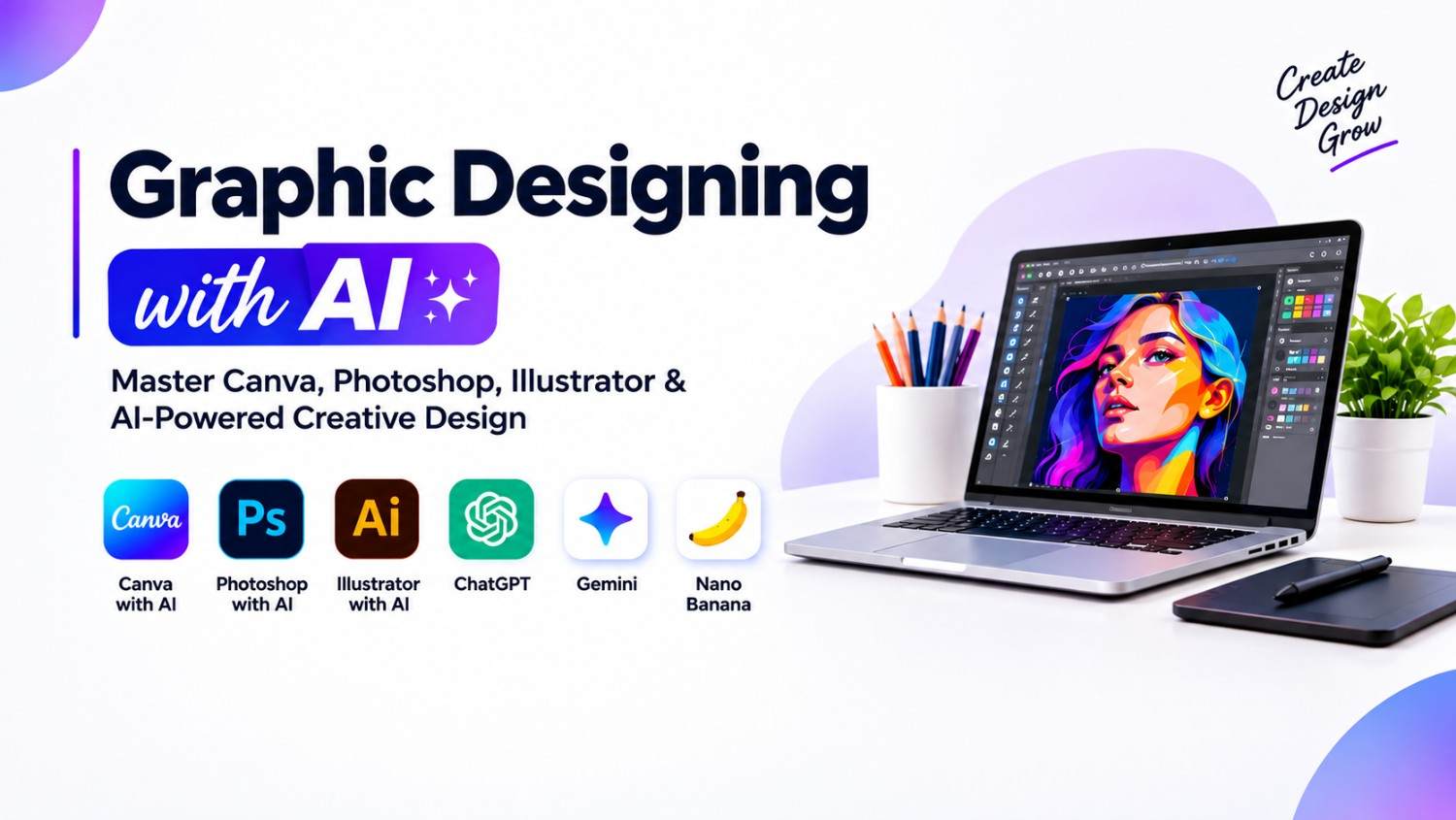
Graphic Designing with AI
Master Canva, Photoshop, Illustrator & AI-Powered Creative Design
₹9,099.3
₹12,999
30% Off
Course Highlights
Duration
3 Months
Level
Beginner to Advanced
Mode
Hybrid
Method
Project Based Learning
Program Highlights
35+ Live
Mentorship Sessions
5+ Tools
Learn and Explore
Master 5+ Tools
Canva Magic Design

Adobe Photoshop

Illustrator

ChatGPT

Gemini
Course Curriculum
- Introduction to Graphic Designing & Career Opportunities
- Understanding Design Principles and Visual Communication
- Colour Theory and Colour Psychology
- Typography, Font Pairing and Text Hierarchy
- Layout, Composition, Alignment and Spacing
- Introduction to Canva: Interface and Essential Tools
- Working with Canva Elements, Images, Shapes and Text
- Social Media Post and Marketing Design
- Canva AI and Magic Studio Features
- Creative Prompt Writing Using ChatGPT and Google Gemini
- Practical Design Assessment and Social Media Campaign
Assignments
- Create a professional colour palette for a fictional brand with suitable typography and design references.
- Design three promotional social media graphics using Canva, applying alignment, contrast and visual hierarchy.
- Create a five-post Instagram social media kit for a selected business.
- Develop a basic brand identity using Canva, including brand colours, fonts and visual elements. Copy All Assignments
Projects
- Social Media Design Kit: Create a professional collection of Instagram and Facebook posts for a fictional business, maintaining consistent branding and visual style.
- Brand Identity Starter Kit: Develop a brand colour palette, typography system, visual moodboard and basic brand identity using Canva.
- Promotional Poster Design: Design a professional promotional poster for an event, product or service using creative layouts and AI-assisted design ideas. Copy All Projects
- Introduction to Adobe Photoshop: Interface, Workspace and Tools
- Understanding Layers, Groups and Layer Management
- Selection Tools, Quick Selection and Object Selection
- Layer Masks and Background Removal Techniques
- Image Cropping, Resizing and Resolution Management
- Photo Retouching and Professional Image Correction
- Colour Correction, Adjustment Layers and Filters
- Advanced Image Manipulation and Photo Compositing
- Typography, Text Effects and Advertisement Design
- Photoshop Generative AI: Generative Fill and Generative Expand
- AI Image Editing Using Google Gemini and Nano Banana
- Professional Product Advertising and Practical Assessment Copy All 12 Lessons
Assignments
- Perform professional photo retouching, skin correction and colour enhancement using Adobe Photoshop.
- Remove backgrounds from five product images and create clean, professional replacement backgrounds.
- Design a product advertisement using Photoshop, typography, image manipulation and creative composition.
- Generate and edit AI-based visuals using Google Gemini and Nano Banana, then refine the final images in Photoshop. Copy All Assignments
Projects
- Product Advertisement Design: Create a premium advertising creative for a cosmetic, fashion, electronics or lifestyle product using Photoshop, professional image editing and AI-generated visuals.
- Professional Photo Editing: Develop a before-and-after photo editing project using retouching, colour correction, background replacement and image enhancement techniques.
- AI-Powered Advertising Campaign: Create a complete advertising campaign using Google Gemini, Nano Banana and Photoshop, including AI-generated visuals and professionally edited promotional creatives. Copy All Projects
- Introduction to Adobe Illustrator: Interface and Vector Graphics
- Working with Shapes, Paths and the Pen Tool
- Drawing Tools, Shape Builder and Pathfinder
- Typography, Text Styling and Creative Effects
- Professional Logo Design and Concept Development
- Colour, Gradients, Patterns and Vector Effects
- Advanced Vector Illustration and Graphic Design
- AI-Assisted Design Features in Adobe Illustrator
- AI Image Generation Using Google Gemini and Nano Banana
- AI-Assisted Creative Workflow Using ChatGPT
- Packaging, Brochure and Corporate Branding Design
- Professional Portfolio Development and Final Practical Examination Copy All 12 Lessons
Assignments
- Create three different logo concepts for a fictional business using Adobe Illustrator and vector design techniques.
- Design a professional business card and stationery set using consistent brand colours and typography.
- Create an AI-assisted creative illustration using Google Gemini or Nano Banana and refine the visual assets for professional use.
- Develop a complete brand identity presentation containing a logo, colour palette, typography, visual elements and brand applications. Copy All Assignments
Projects
- Professional Logo & Brand Identity: Develop a complete visual identity for a selected business, including logo variations, typography, colour palette and brand guidelines using Adobe Illustrator.
- Corporate Branding Package: Design a professional collection of business cards, letterheads, brochures, packaging concepts and other corporate branding materials.
- Professional Graphic Design Portfolio: Compile your best Canva, Photoshop, Illustrator and AI-assisted projects into a polished portfolio that demonstrates your creative skills and professional design capabilities. Copy All Projects
Frequently Asked Questions
Yes. This course starts with basic graphic design principles and gradually progresses to professional software, advanced designing techniques and AI-powered creative workflows. No prior graphic design experience is required.
You will learn Canva, Adobe Photoshop, Adobe Illustrator, ChatGPT, Google Gemini and Google Nano Banana for professional graphic designing and AI-assisted creative work.
The course duration is 3 months, consisting of 36 practical training sessions, with 3 classes per week and 1 hour per class.
Yes. You will learn logo design, typography, colour selection, vector graphics and complete brand identity development using professional design tools.
Yes. You will explore AI-powered image generation, creative prompting, image transformation and visual editing using Google Gemini and Nano Banana.
Students should have access to a laptop or desktop computer. Software requirements, free versions and paid subscription requirements will be explained during the course.
Yes. You will complete practical assignments and mini projects involving social media designs, advertisements, product creatives, logo design, branding and AI-powered visuals.
Yes. You will develop a professional graphic design portfolio showcasing your creative projects, software skills and final capstone project.
Yes. Praxia Skill provides internship opportunities, placement assistance, industry mentorship and freelancing guidance, subject to eligibility and availability.